

Articles on Opencart
This section contains useful articles and instructions for working with CMS OpenCart. Here you will find detailed guides on setting up an online store, installing modules, changing templates, optimizing performance and improving site functionality.
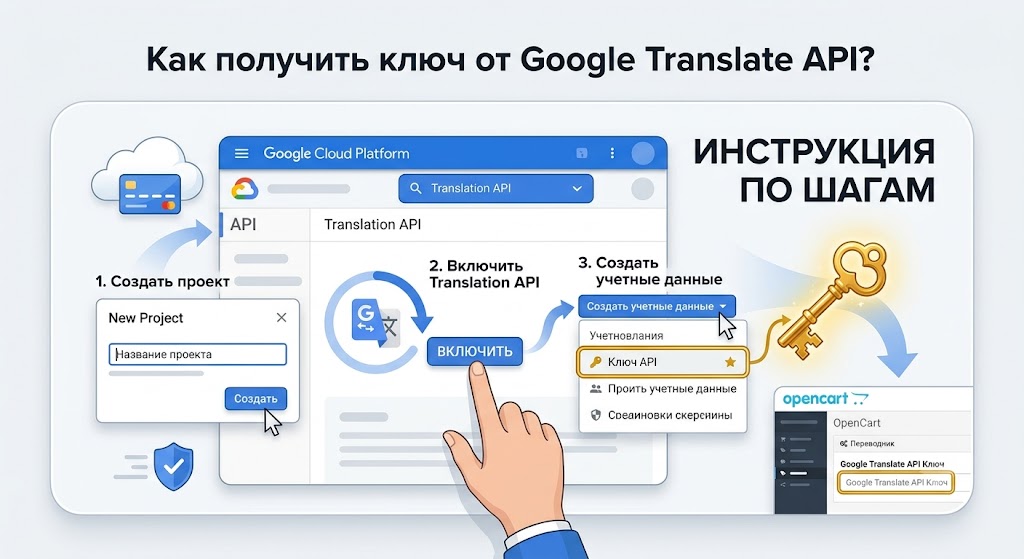
How to get the Google Translate API key?
There are few sites on the Internet that still use one localization. The question of how to quickly translate text into different languages has become very relevant.
Getting a key from the Google Translate API using short instructions
1. Go to https://console.cloud.google.com/apis/dashboard
2. Select Enable APIs and Services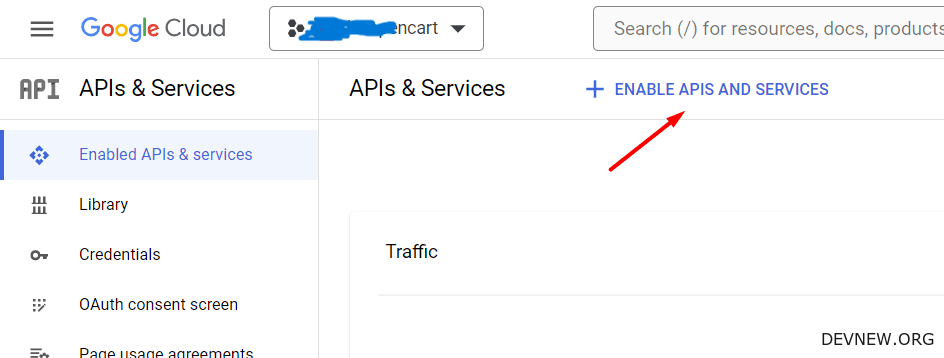
3. Search for Google Translation API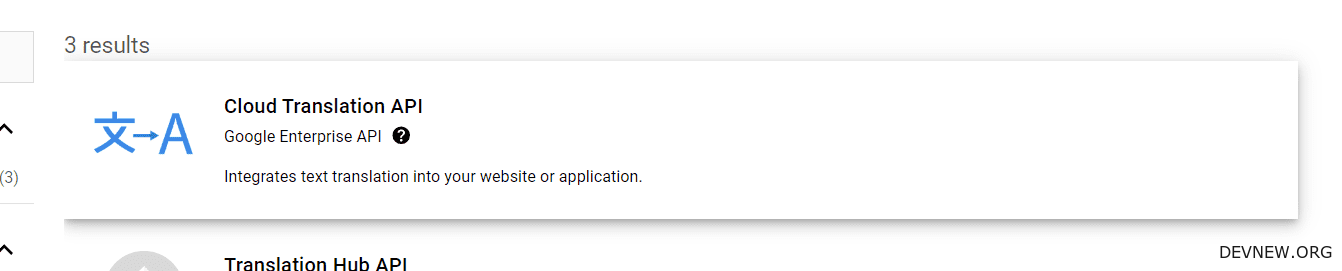
4. Enable it by clicking the Enable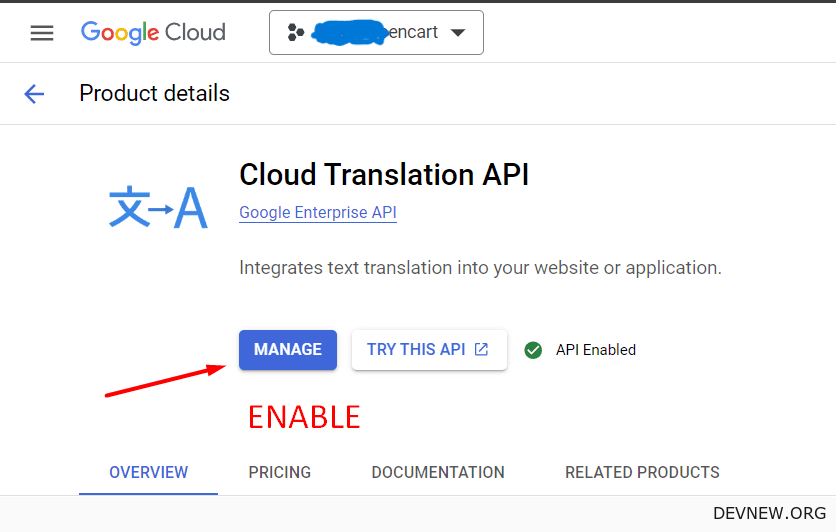
5 button. Click on the Manage button and then select Credentials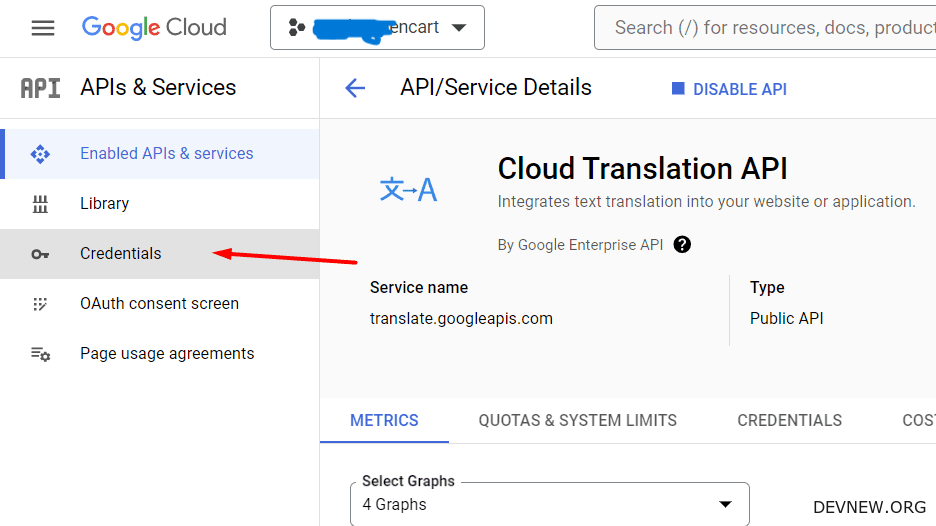
6. Generate a key, click on Create Credential, and then API Key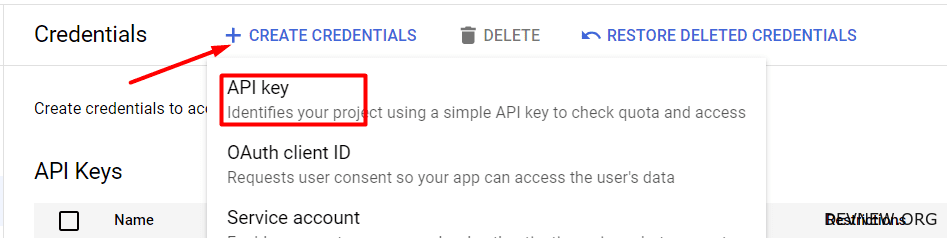
7. The resulting key can be used wherever you need it.