

vc_redist_x64.exe
Size:
24.18 Mb
Format:
exe
Downloads:
18
File available for download
Download file
- Views: 29
- Category: Programs for Windows
See Also
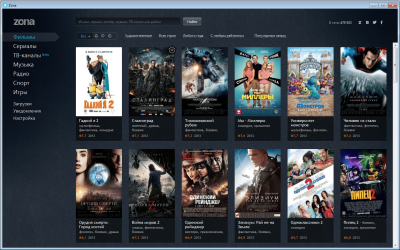
Free program Zone for watching movies and TV series, offers convenient fast search through its own media database and high download speed. In the application you can watch sports broadcasts, broadcast TV channels, listen to music via Internet radio and even play online games. The ZONA program contains a huge database of films, TV series and music, which can not only be played, but also downloaded to your computer. Downloading occurs in torrent mode, which supports resuming capabilities. In addition, you can watch your favorite TV channels and listen to radio stations via the Internet. By downloading ZONA for free, you will save a lot of time searching for the movies you need. The main functions of ZONA are quick search of the necessary data and their convenient playback. So, using the Zone program you can download movies, music, games and much other content for free. The entire “media library” of the application is divided into appropriate categories, for example, “Movies”, “Series”
Rufus is a small program for converting a regular flash drive into a bootable USB from which you can run DOS. Setting up the program is very simple, just insert the device you want to format, select the necessary options and click the "start" button. In a matter of seconds you will have a new bootable USB drive with DOS OS to work with. Rufus is a very small, easy to use and useful application. If for some reason you need to start your computer with DOS, then this is the best option.

OBS Studio (Open Broadcaster Software) is a free program in Russian for recording videos and streams on Twitch, YouTube, GoodGame, SC2TV, Hitbox.TV and any other RTMP broadcast servers. Linux version of OBS Studio
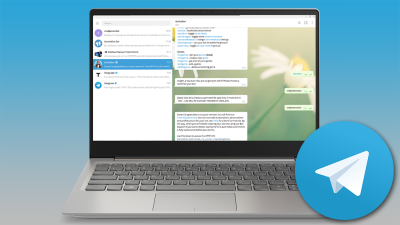
Telegram — это бесплатный мессенджер для ПК, на первом плане у которого стоит оперативность, конфиденциальность и легкость в использовании. Преимущество Telegram перед остальными приложениями для общения в том, что благодаря облачному сервису с бесшовной синхронизацией Вы можете пользоваться им на всех ваших гаджетах сразу без потери важной информации. Все данные привязываются к вашему номеру телефона. С Telegram вы можете обмениваться текстовой информацией, отправлять изображения и видео, делиться файлами различных форматов (doc, zip, mp3 и т. д.) Здесь также есть возможность создавать сообщества до 200 000 пользователей или телеграм каналы с неограниченной аудиторией. Впервые пользователи смогли скачать Телеграм в 2013 году для iOS, через пару месяцев и для Android, а уже в скором времени появился Telegram Desktop для компьютера. Мессенджер стал настолько популярным, что его создатели (которые также основали ВКонтакте), Павел и Николай Дуровы, решили загрузить Telegram код в
The free WinRAR archiver works with any file archive format and, within the competencies of the archiver program, copes with its tasks perfectly. For 20 years now, the WinRAR program has been considered the best among archivers, regularly taking first place in tests and reviews from various portals and specialized laboratories. Even the most modern developments are unable to shake the position of this monster of the archiver niche in terms of such indicators as degree, speed, and quality of compression. VinRAR was created for Windows by Russian developer Evgeniy Roshal. Actually, RAR stands for Roshal Archive. At the moment, the copyright belongs to his brother Alexander, and the creator himself does not stop there and improves versions at least every six months. The latest WinRAR (full version) is distinguished by slightly expanded functionality, support for a larger number of formats and a new RAR5 option, with which you can increase the size of the dictionary and reach the maximum

FileZilla - Download a free open source FTP client for uploading files to the server. The small program FileZilla that we bring to your attention can restore interrupted downloads (of course, if the FTP server itself provides this function), has a built-in site manager with the ability to put them in separate folders, works very stably with various firewalls, supports drag-and-drop file transfer, and scheduling download queues. One of FileZilla's capabilities is to support the connection to the server by interrupting downloads, which allows you to set a timeout time. HTTP1.1 proxy, SFTP, SSL secure connections, SOCKS4/5, GSS authentication and data encryption (Kerberos) are also supported.

Tor Browser - for anonymous web surfing. It is a Firefox web browser with an integrated Torbutton extension, a script blocker and an add-on for logging into sites via the HTTPS protocol. The program allows you to visit sites prohibited by the administrator or the state, as well as correspond in web chats, place orders and download files, hiding your IP address and other identification elements. A proxy server system called “Tor” was created by employees of the US Navy Research Laboratory. After the US Department of Defense decided to declassify the project, transferring it to Open Source status, a group of independent developers took on its development. As a result, more than 6,000 communication nodes have appeared on various continents, providing ultra-encrypted data transmission through anonymous Tor proxy servers. After launch, a slightly redesigned Firefox browser opens. It is almost no different from a standard browser, except that it allows you to surf the Web anonymously -
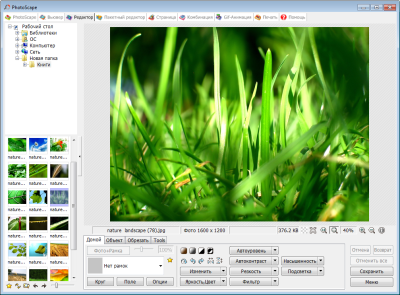
Photoscape is a clone of Photoshop that has the same functionality and set of tools. But, unlike its famous older brother, you can download Photoscape for free. The capabilities of this graphic editor allow you to fully process photographs and pictures. In particular, you can crop pictures, change the background, make two layers, apply various filters and retouching, and also use a rather large set of tools. With their help, you can paint on or erase, set brightness, saturation, contrast, and also overlay printed characters on the image. Additional options include creating screenshots, GIF animations and slide shows. The program is also capable of converting files in RAW format. This alone is worth downloading Photoscape for free. The Russian version is presented on this page. We will look at this product in more detail. In order not to get confused in all the possibilities and quickly find the function you need, the developers have introduced sections in the Photoscape control panel.
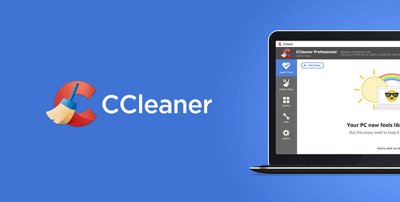
CCleaner is one of the most famous optimization programs for Windows, now available for Android and Mac. The mobile version of Sikliner offers quick search and effective removal of non-working, unused and unwanted files, as well as temporary data from browsers and other applications running over the Internet. The functionality of the application for smartphones and tablets is somewhat different from what we are used to seeing on a computer. There is no registry cleaner, task scheduler, or startup management. But there is an application manager, process management, clearing cache and downloads. British developers from Piriform LTD try to update desktop and mobile CCleaner every month. This provides an improved interface and increases the application's performance quotient. For millions of advanced users, CCliner for PC has become a must-have software. The mobile analogue of the utility has no worse prospects.

Zoom Version: 5.11.4 A program for video conferencing, as well as real-time messaging and content exchange from American developers. The free version of Zoom allows you to hold video meetings lasting up to 40 minutes and up to 100 participants at the same time. This is why Zoom has become so popular as a program for conducting online lessons, rehearsals and language teaching. Free Zoom is designed for in-person meetings (i.e. 2 users). There are time limits for larger video conferences. However, Zoom is quite convenient for remote work or study. Participants in a video call can use any device for communication, be it a computer, smartphone or tablet. In addition, you always have the opportunity to turn off your sound and picture, so you can continue working or studying anywhere, even while on the road or taking a bath. To create a free video conference, you must have an account. But to participate in the meeting it is not necessary to register in Zoom; you just need to have a link to