

Articles
Useful materials about web development, SEO, CMS, software and modern Internet technologies. Practical guides, reviews, recommendations and instructions for working with websites and digital projects.
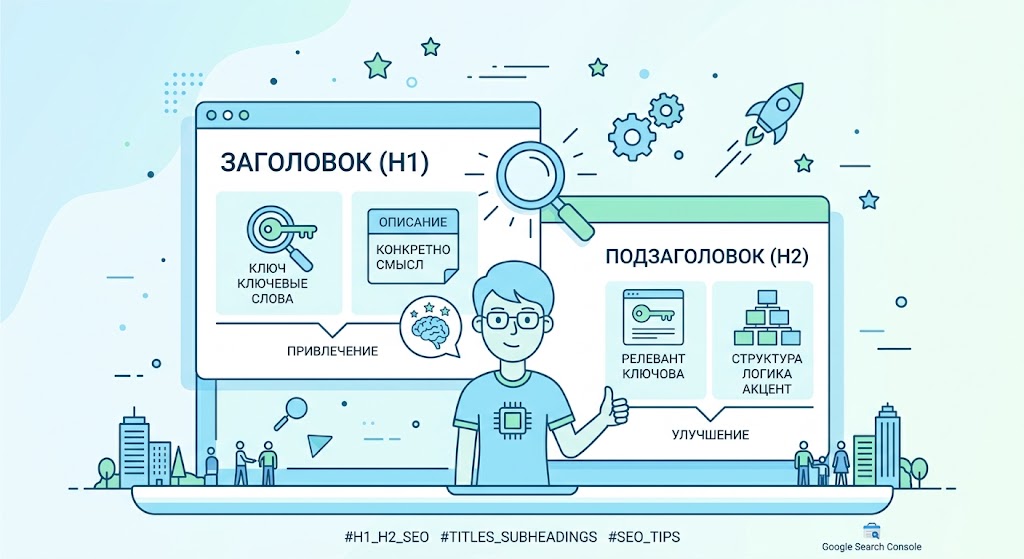
Optimizing headings and subheadings for SEO
Headings and subheadings play an important role in the SEO optimization of an article. They help search engines understand the structure of a page and help readers find the information they need faster.
1. Use the correct heading structure
In SEO there is a hierarchy of headings:
-
H1 - main page heading (used once)
-
H2 - main sections of the article
-
H3–H4 - subheadings within sections
This structure helps search engines better analyze the content of the page.
2. Add Keywords
It is advisable to include keywords in headings. This increases the page's relevance to the search query.
Example:
Bad: How to write texts
Better: How to write SEO texts for a website
But it is important to use keywords naturally and not overload them headers.
3. Make headings clear
A good heading should:
-
clearly reflect the content of the section
-
be short and understandable
-
attract the reader's attention
If the user immediately understands what a section is about, they stay on the page longer.
4. Break the text into blocks
Large texts without subheadings are less readable. Using H2 and H3 makes the article easier to read.
Benefits:
-
improved readability
-
increased time on page
-
better indexing by search engines
5. Use questions in subheadings
Search engines often show answers to questions in search results. Therefore, it is useful to use subheadings in question format.
For example:
-
What is an SEO title?
-
How to use H1 and H2 correctly?
Proper optimization of headings and subheadings helps improve the structure of the article, increase its readability and increase the page's chances of getting to the TOP of search results. Well-designed H1, H2 and H3 are an important part of successful SEO content.

What is a VPN?
VPN is a technology that creates a secure connection between your device and the Internet. It encrypts data in transit and hides your real IP address, helping to increase your privacy and security when using the network.
VPN establishes a virtual direct connection between your device and the Internet, sending data through an encrypted tunnel. This connection promises you digital privacy protection.
When visiting Internet pages, your device and data are determined by the IP address assigned to you by your ISP. Thanks to this, they know about you what you are doing now online: provider, specialist. services and even scammers who can intercept information about you and use it. (passwords from sites, payment system details, etc.).
How to Get Anonymous
To counter online surveillance, you'll need a Virtual Private Network. When using it, your indicators will no longer be so easy to intercept; they will pass through the so-called tunnel. The IP address will be hidden, and the location will not be able to be tracked, making it possible to visit blocked sites, such as torrents.
It should be clearly understood that no VPN will give you a 100% guarantee of anonymity on the network.
In order to choose an anonymous VPN service, you must know:
1. Server locations
When choosing a server, pay attention to what area it is located in, because each state has its own laws, and they treat many things differently. I advise you to look for a country that is radically different from the one in which you live. It’s better in other states, but with good Internet infrastructure. You can also go to Germany, it is more loyal.
2. Saving full information in logs and storing the logs themselves
In order for you to install and use their project, many companies prove that they do not store logs, but this is a lie. Logs are saved on any service. Choose a site where logs are saved for no more than a day and only save connection information.
3. Do they cooperate with special services
You may be convinced that the services do not work for special services. services, and they are so far away that the feds cannot reach them. I can assure you that in the event of a warrant or a raid by the feds, they will give out all the information about the person they are interested in. Few can resist pressure and threats!
4. How to pay
When paying via Qiwi, Paypal and WebMoney, you are already burned! A suitable wallet through which you can pay is Bitcoin.
5. Connection type
All types of connections, without exception, are good for you to ensure anonymity.
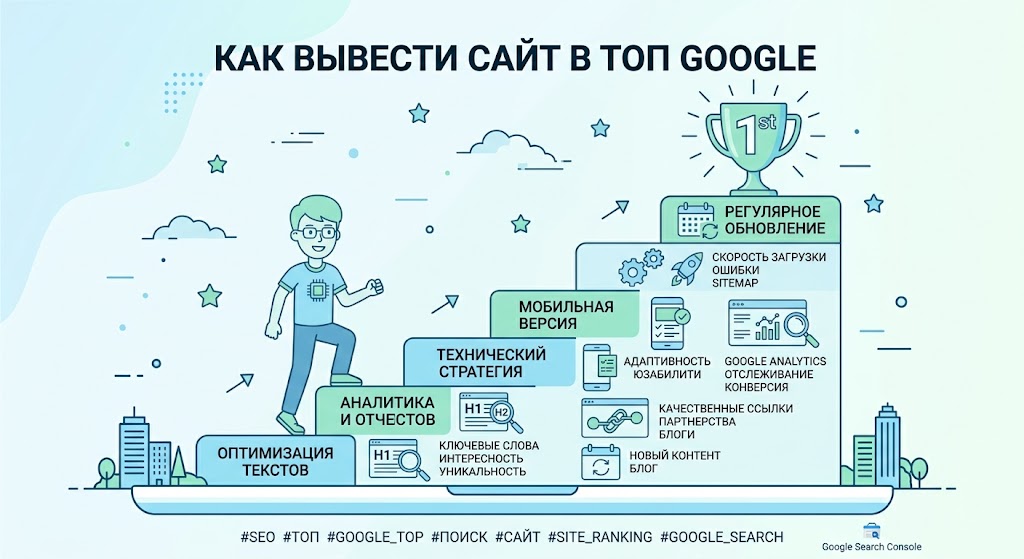
How to bring your website to the top of Google
Promoting a website on Google requires a comprehensive SEO approach: technical optimization, quality content, correct page structure and obtaining authoritative external links. In this article, we will look at the main ranking factors and practical steps that will help improve your website’s position and attract more organic traffic.
Step-by-Step Guide
1. Choose the Right Keywords
First, you need to understand what people are searching for on Google.
Examples:
- create a website
- order a website
- website templates
- WordPress themes
- how to make a website
Use tools:
- Google Keyword Planner
- Ahrefs
- Ubersuggest
It is better to take low-frequency queries (they are easier to bring to the top).
Example:
❌ website creation
✅ how to create a website on WordPress for free
2. Write an SEO Article
Google loves detailed and useful articles.
Good article structure:
- Heading (H1)
- Introduction
- Subheadings (H2 / H3)
- Lists
- Pictures
- Answers to questions
Optimal article length:
2000 – 4000 words
3. Do proper SEO optimization
Add keywords:
- in Title
- in H1
- in URL
- in description (meta description)
Example URL:
site. com/kak-sozdat-sait
4. Optimize site speed
Google loves fast sites.
Test your speed with
Google PageSpeed Insights
What speeds up your site:
- image compression
- fast hosting
- caching
- CDN
5. Make internal links
Link articles together.
Example:
- article Create a website
- article WordPress Themes
- article SEO for the site
This helps Google better understand the structure of the site.
6. Get external links
Links from other sites = strong signal to Google.
Where to get them:
- guest articles
- website directories
- forums
- blogs
7. Add your site to Google services
Be sure to connect:
- Google Search Console
- Google Analytics
This will help:
- see errors
- understand which pages are receiving traffic
8. Publish articles regularly
Google loves live sites.
Best chart:
- 2-3 articles per week
- minimum 50-100 articles on site
How long you need
Usually:
- 1-2 months - first positions
- 3-6 months - stable traffic
- 6-12 months - high traffic
Interesting fact:
80% of SEO traffic comes from 20% of articles.

What is ChatGPT?
ChatGPT is a large-scale language model trained on the GPT-3.5 architecture built by OpenAI. It is one of the most powerful and advanced language models available today and has many practical applications.
ChatGPT is an artificial intelligence system that can process natural language and generate text in response to given questions or commands. This model uses deep learning and neural networks to learn from large amounts of text data and create new text based on it.
ChatGPT was introduced in 2020 as a response to the increasing demand for various artificial intelligence systems capable of processing and generating texts. He has a huge knowledge base and can answer a wide range of questions, ranging from scientific and technical questions to arts and entertainment related questions.
ChatGPT can be used for a variety of purposes, including automatically translating texts, composing answers to customer questions, creating articles and text for web pages, and creating bots for chats and other communication systems.
To use this chat, just follow the link or use the telegram bot
One of the advantages of ChatGPT is its ability to learn from large amounts of data, which allows it to produce high-quality text that is difficult to distinguish from human-written text. Moreover, ChatGPT is constantly updated and improved, allowing it to cope with more complex and varied tasks.
Despite all its advantages, ChatGPT also has some limitations and risks. For example, when using this model, it is necessary to take into account the possibility of generating texts that may be erroneous or even misleading. Additionally, ChatGPT has the potential for abuse, such as creating fake news or manipulating information.
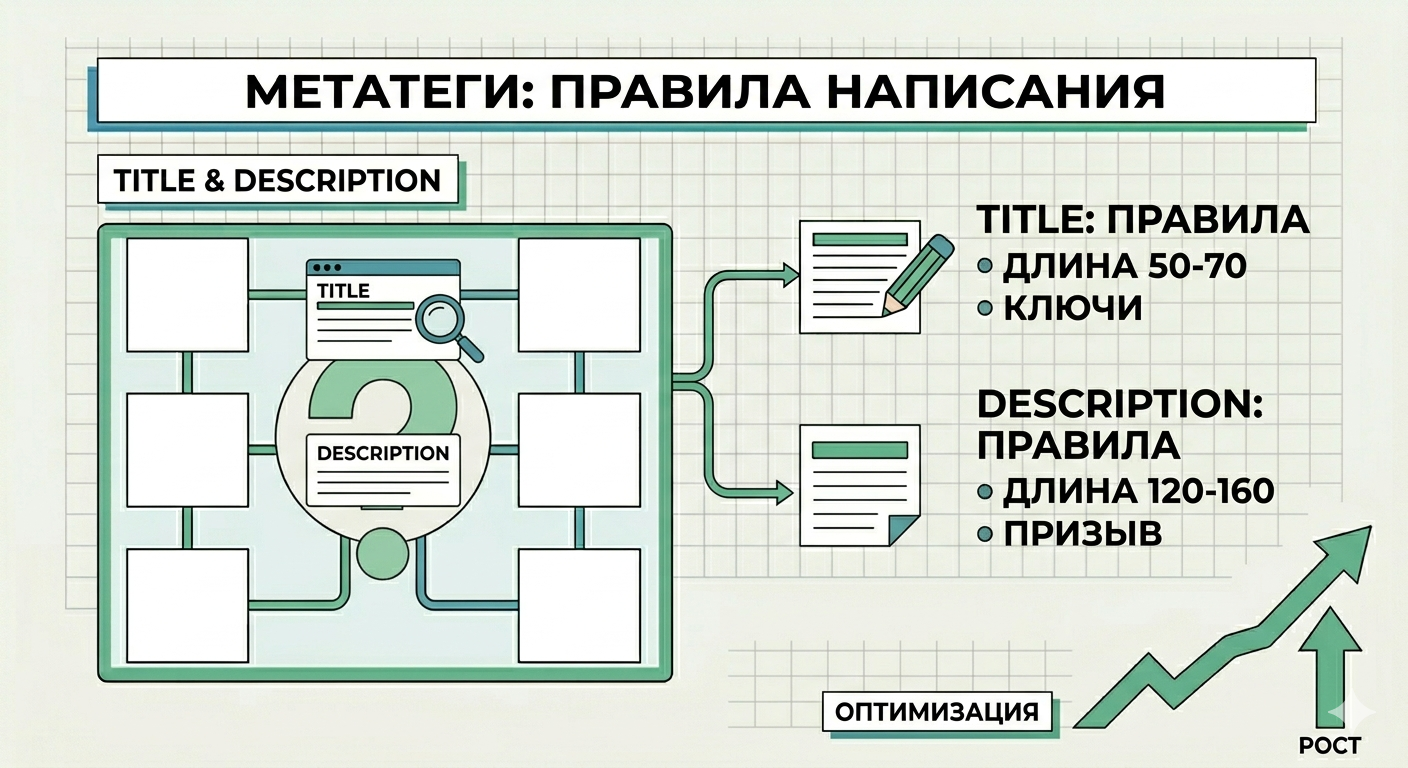
Metatags: title and description, written rules
Title and Description meta tags are important elements of on-page SEO optimization. They help search engines understand the content of a page and influence how the site appears in search results.
What is the title meta tag
Title is the title of the page that is displayed in the browser tab and in search results. This is one of the most important SEO factors.
Basic rules for writing Title:
-
length - approximately 50–60 characters
-
the title should be main keyword
-
text should be clear and attractive
-
each page must have a unique Title
Example:
Bad:Home page
Good:SEO website optimization: promotion services and audit
What is a Description meta tag
Description is a short description of the page, which is often shown in search results under the title.
This meta tag does not directly affect rankings, but it does affect click-through rate (CTR).
Basic rules for writing Description:
-
length - 120–160 characters
-
briefly describe the contents of the page
-
use keywords
-
make text attractive to the user
Example:
Learn how to properly optimize your website for search engines. Practical advice on SEO and promotion.
Recommendations for optimizing meta tags
For meta tags to work effectively, you should adhere to several rules:
-
use keywords, but without spam
-
write unique meta tags for each pages
-
make the text clear to the user
-
add call to action (learn, read, receive)
Common mistakes
When creating meta tags, the following mistakes are often made:
-
the same Title on different pages
-
titles are too long
-
missing keywords
-
description that does not correspond to the content of the page
Title and Description meta tags play an important role in SEO promotion of a website. Well-written meta tags help search engines understand your page better and increase the likelihood that a user will click through to your site from search results.
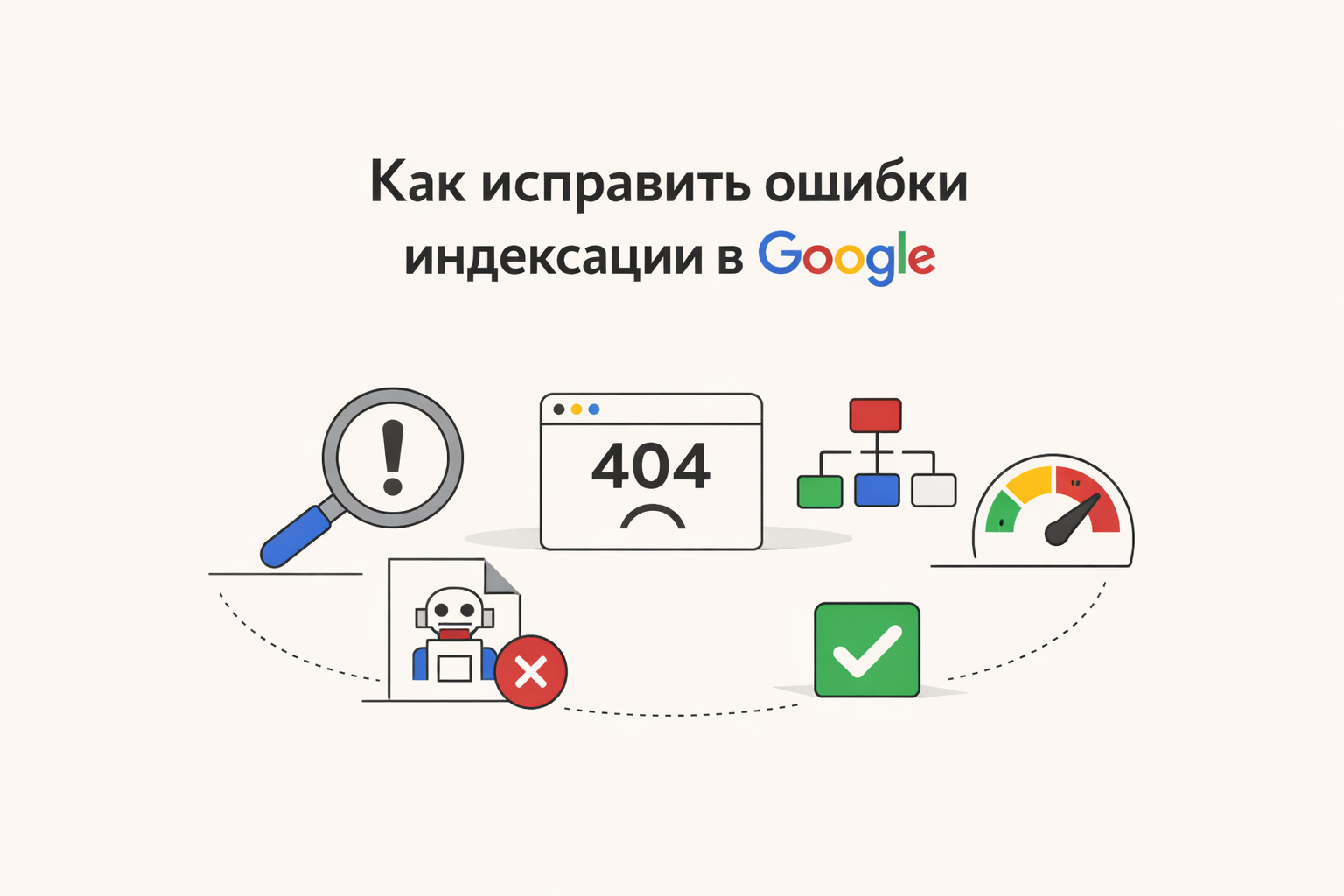
How to Fix Google Indexing Errors
Indexing errors are one of the most common reasons why a website does not appear in searches or loses rankings. If pages are not indexed, they simply do not exist for the search engine. Below is a detailed guide on how to find and fix such problems.
Indexing is the process by which Google Search adds site pages to its database. Only after this they can appear in search results.
Major indexing errors
1. The page is closed from indexing
Check for the presence of the meta tag:
If it is present, the page will not be indexed.
📌 Solution: replace noindex with index.
2. Errors in robots. txt
Robots. txt may prevent crawling:
📌 Solution: Make sure important pages are open:
Allow: /
3. Page not added to sitemap
If you don't have a sitemap. xml, it is more difficult for a search engine to find pages.
📌 Solution:
-
Create a sitemap. xml
-
Add it to Google Search Console
4. Duplicate pages
If the site has the same content, Google may ignore such pages.
📌 Solution:
-
Use tag:
5. Server errors (5xx) and pages 404
If the page does not open, it will not be indexed.
📌 Solution:
-
Fix server errors
-
Set up correct redirects (301)
6. Slow loading of the site
If the site takes a long time to load, the search robot may not wait for it to load.
📌 Solution:
-
Optimize images
-
Use caching
-
Connect CDN
7. No internal links
If no one links to a page, the robot may not find it.
📌 Solution:
-
Add internal links
-
Make a logical structure site
How to check indexing
Through search
Enter in Google Search:
Via Google Search Console
-
Go to section "Coverage"
-
See errors:
-
Excluded
-
Detected but not indexed
-
Error
-
Quick fix instructions
-
Check robots. txt
-
Make sure there is no
noindex -
Add sitemap. xml
-
Resolve 404 and 500 errors
-
Configure canonical
-
Improve site speed
-
Add internal links
-
Submit a page for re-indexing via Google Search Console
Tips for better indexing
-
Publish unique content
-
Update your site regularly
-
Use the correct URL structure
-
Add micro-markup (Schema.org)
-
Monitor server logs
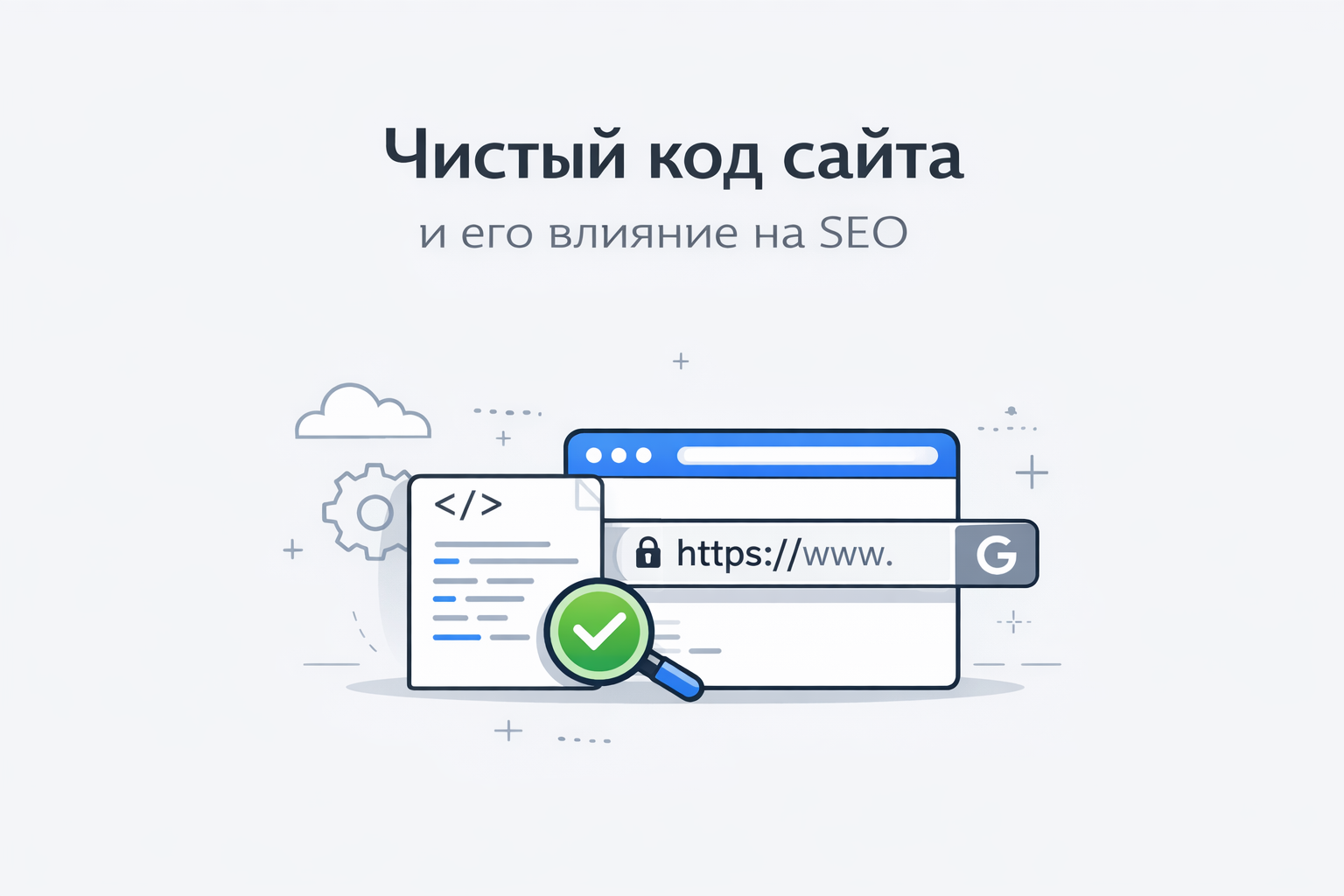
Clean website code and its impact on SEO
Clean website code is properly structured, optimized and understandable HTML, CSS and javascript code. Such code is easy to read by developers and can be processed by search robots without problems.
Code quality directly affects site speed, indexing and SEO rankings.
What is clean code
Clean code is code that:
- has the correct HTML structure
- does not contain unnecessary elements
- fast to load
- easy to read and maintain
- complies with web development standards
The simpler and neater the site code, the easier it is for search engines to analyze the pages.
Why clean code is important for SEO
1. Improves site loading speed
If the code has a lot of unnecessary scripts, styles or unused elements, the page loads slower.
Slow site:
- ranks worse
- loses visitors faster
- worsens behavioral factors
Clean code helps pages load faster.
2. Simplifies site indexing
Search robots analyze the HTML code of the page.
If the code:
- is logically structured
- contains the correct tags
- is not overloaded with scripts
then the search engine understands page content faster.
3. Helps to use HTML tags correctly
Clean code assumes the correct use of tags:
<h1> - main heading pages
</h1><h2>–</h2><h6> — subheadings
<p> — text
</p><ul> and <ol> — lists
<strong> - important words</strong></ol></ul></h6>
This structure helps search engines better determine the topic of the page.
4. Improves mobile optimization
Clean code is easier to adapt to mobile devices.
And mobile optimization is one of the important ranking factors.
5. Reduces technical errors
Bad code can cause:
- loading errors
- page display problems
- indexing errors
Clean code makes a website is more stable and reliable.
Pure HTML code example
<h1>What is SEO</h1>
<p>SEO is the optimization of a website for search engines. </p>
<h2>Why SEO is important</h2>
<p>SEO helps a website get organic traffic from search engines. </p>
</article>
Code like this:
- simple
- logical
- easy to read by search robots
Signs of bad code
Problems in the code may look like like this:
- too many nested tags
- unnecessary scripts and styles
- unused CSS and javascript
- lack of structure headers
- a large number of inline styles
All this worsens SEO.
How to make your website code cleaner
To improve the quality of your code:
- Use the correct HTML structure
- Remove unnecessary plugins and scripts
- Minify CSS and JavaScript
- Use modern HTML5 standards
- Verify code through validators
Clean website code is an important part of technical SEO.
It helps:
- speed up site loading
- improve page indexing
- increase site stability
- improve search rankings
Therefore, when creating a website, it is important to pay attention to the quality and structure of the code, and not just the design.
Number database: why is it needed and where to buy current data
In today's world of digital marketing, information is the key to successful promotion. One of the most valuable tools for attracting customers is the number database. If you want to accelerate business growth, expand your audience reach and increase sales, you should consider buying a number database with current and verified contacts.
What is a number database?
Number database is a structured list of telephone numbers, often supplemented with data such as the owner's name, region, interests, type of activity, etc. It is used for:
-
SMS mailings
-
Calling potential clients
-
Marketing through instant messengers (WhatsApp, Telegram, etc.)
-
Promotion of products and services
A properly assembled database allows you to avoid "cold" contacts and focus on the target audience.
Why should you buy a number database?
Collecting contacts yourself takes a lot of time and resources, and does not always give the desired result. It is much more effective to buy a database of numbers, already segmented by interests, regions or other parameters. This will allow you to:
-
Quickly launch an advertising campaign
-
Increase conversion
-
Save time and budget
Important! When purchasing a database, make sure that it complies with the requirements of personal data legislation.
Buy WhatsApp number - a direct contact tool
Today, a huge number of people actively use WhatsApp, and marketers do not miss the chance to contact the client directly through this messenger. Therefore, buy WhatsApp number means getting the opportunity to send personal messages to potential clients, bypassing traditional advertising.
This approach is especially effective in the following niches:
-
Online trading
-
Courier and service services
-
Info business and online courses
How to choose a reliable supplier?
Before buy a database of numbers or buy a WhatsApp number, pay attention to:
-
Relevance of the database (date updates)
-
Segmentation by niche/region
-
Customer reviews
-
Guarantees and policies return
A good supplier is always ready to provide a demo sample or sample base for testing.
Conclusion:
Number database is a powerful tool for business that allows you to effectively build communication with your target audience. By deciding to buy the database of numbers, you speed up sales processes and save resources. And if your goal is direct communication through messengers, it makes sense to buy Whatsapp number and start a dialogue with the client where it is convenient for him.

What factors influence website ranking?
Many website owners wonder why some websites are at the top of search results, while others remain far down in the lower positions. It's all about search engine algorithms, which evaluate many website parameters. If you want to increase traffic and attract customers from search, it is important to understand which site ranking factors are taken into account by search engines such as Google and Yandex.
Proper website optimization allows you to improve your search rankings. This is why many companies prefer to order SEO promotion so that specialists can carry out comprehensive optimization.
What is site ranking
Ranking is the process by which search engines determine in what order to display sites in search results.
When a user enters a query such as “order SEO,” algorithms analyze hundreds of factors and select the most relevant pages.
The better a site meets the requirements of search engines, the higher it will be ranked in the results.
Main website ranking factors:
1. Content Quality
Content is one of the main factors of SEO.
Search engines analyze:
-
text uniqueness
-
usefulness of information
-
search query relevance
-
article structure
Quality content helps users find answers to their questions and increases trust in the site.
For SEO it is important to use keywords correctly, for example:
-
order SEO
-
SEO website promotion
-
SEO website optimization
But keywords should be used naturally.
2. Technical optimization of the site
The technical condition of the site greatly affects its position.
Important technical factors:
-
page loading speed
-
mobile responsiveness
-
correct indexing
-
no errors and broken links
To analyze technical problems, you can use the following tools:
-
Google Search Console
-
Screaming Frog SEO Spider
If a site has technical errors, search engines may lower its ranking.
3. External links
Links from other sites are an important signal to search engines.
When authoritative sites link to your resource, it increases the trust of search engines.
However, it is important that the links are of high quality. Spam links can, on the contrary, harm the site.
The following services are often used to analyze the link profile:
-
Ahrefs
-
SEMrush
-
Serpstat
4. Behavioral factors
Search engines analyze user behavior on a website.
Important behavioral factors include:
-
time on site
-
view depth pages
-
bounce rate
-
search clicks
If users stay on the site for a long time and read the content, this has a positive effect on rankings.
5. Site structure
Correct site structure helps search engines better understand the content of pages.
Important:
-
use headers H1-H3
-
create a logical structure sections
-
use internal linking
A well-organized website is easier to index by search engines.
6. Mobile version of the site
Today, most users search for information from smartphones.
That's why search engines, especially Google, pay a lot of attention to the mobile version of the site.
If a site displays poorly on mobile devices, its rankings may decline.
Why it is important to consider all SEO factors
Website promotion is a complex work. You cannot improve your position due to just one factor.
Effective SEO includes:
-
quality content
-
technical optimization
-
working with links
-
structure improvement website
That's why many companies prefer order SEO so that specialists can develop a promotion strategy and improve the site's position.
The ranking of a site is influenced by many factors: quality of content, technical condition of the site, links, structure and user behavior.
If you properly optimize your website and regularly work on its development, you can significantly increase traffic from search engines.
And if you want to achieve results faster, you can order SEO promotion so that specialists will carry out comprehensive optimization and help your site take high positions in search results.
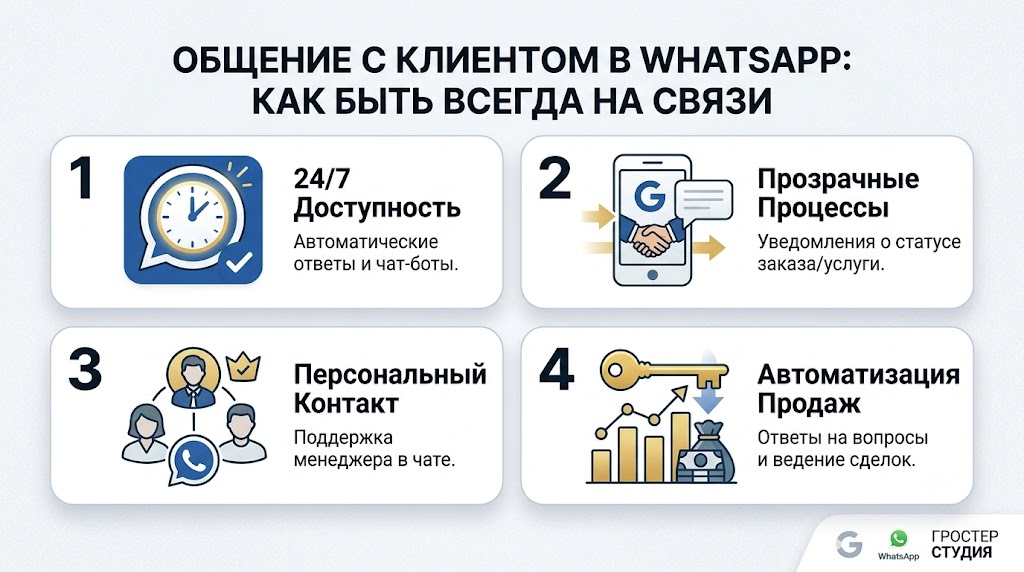
Communication with a client on WhatsApp: how to always be in touch
WhatsApp Business API is a convenient and simple way to communicate with clients, allowing you to be closer, clearer and faster. There are plenty of obvious benefits for both customers and business. The company receives additional information about the consumers of its goods and services, the opportunity to communicate with them on important issues, maintaining their loyalty to the brand. The client – a prompt response to his requests, solutions to his problems and the latest information about promotions and special conditions for subscribers.
You don't need a phone to communicate with a customer in the WhatsApp Business API. In this case, your client will see exactly the same account as if you wrote to him through a mobile phone number. That is, when communicating with a client via the WhatsApp Business API, the window looks familiar to him and will not cause even the slightest discomfort. It’s just like talking to your best friend.
There are differences, because you are a business account. And in this case, when communicating with a client via the WhatsApp Business API, you have undoubted advantages. For example, you can receive official verification of your account and with it a green check mark that will appear next to your company name. In your profile you can indicate all your contacts and addresses. Unlike personal profiles, a business profile will not display your online/offline status or last login time. Yes, there is no need for this, because when communicating with a client via the WhatsApp Business API, you will be in touch 24/7.
What is a “green checkmark” and why is it needed?
Green checkmark is a verified business account. First of all, it builds trust in the brand. Such an icon next to the company name catches the eye and the modern user already knows that everything is serious here. And so it is. WhatsApp Business API is integrated with Facebook. To enable the ability to communicate with a client via the WhatsApp Business API, approval will have to be obtained from Facebook. And everyone knows how this company treats the purity of both its resources and its name. In addition to the green checkmark, you will also have a whole business profile with contacts and other important information and the magic words “official” next to your name. Unverified accounts have only the company name and phone number.
And don't be intimidated by the need to contact Facebook. Everything happens by correspondence. True, it takes some time. But standing in line for status with such a major player in the digital market is very worth it. First of all, you need to submit a claim to Facebook through Wazzup technical support. In the application, you will be asked to indicate the brand name, company website, Facebook page, links to materials about the company on external resources. That is, the most common information available to any user who wants to find you on the network. This simple data will serve as the basis for Facebook to decide whether to give you a green checkmark.
This procedure takes from one to three weeks. You don't need to pay any money. And, in fact, you don’t need to do anything else; the Wazzup service employees will do everything themselves.
Where to start?
It's worth remembering that there are high requirements for officially verified accounts in the WhatsApp Business API. This also applies to communicating with clients on WhatsApp.
If the client starts communicating on WhatsApp himself, it will be ideal. However, this is not always possible. Therefore, we will consider options when you need to start communicating with a client on WhatsApp yourself.
If you yourself have ever subscribed to mailing lists from stores, online schools or your fitness club, then you've probably seen something like: allow the user to send you messages.
The mechanism is implemented similarly when communicating with a client in the WhatsApp Business API. WhatsApp is against intrusive advertising and therefore requires companies to obtain customer consent to send messages. A small window will be placed on your website where the client can enter their phone number and will immediately receive a response from your business account. It is convenient, simple, legal and the decision is made by the person himself.
The client writes first
In order for the client to write first, some kind of motivation is needed. If a person somehow found out about your business or product and purposefully looked for you in order to write and purchase something, this is the most desirable and best option. But it is quite possible to bring a client to communicate on WhatsApp by creating this need and path.
We have already mentioned the first option: to motivate clients to be the first to communicate with you via WhatsApp, place a WhatsApp button or link leading directly to the messenger.
You write first
To do this, you must have your client's phone number.
When communicating with a client through the WhatsApp Business API, you can only send a template message first. There may be one recipient, or there may be a group of clients. A specific form of implementation of this idea will be developed and implemented on the Wazzup platform. This is especially convenient if you already have integration with CRM. In this case, messages can be sent from it. This could be information about a change in order status, delivery of goods, a response from the support service, or a work schedule on weekends. What’s important is that there is no need to communicate with clients on WhatsApp until this moment. You write first, you are the initiator of the dialogue and try to conduct it in such a way that the client responds and continues it.
How to Motivate a Client
When communicating with a client through the WhatsApp Business API, it is important that it is valuable and allows your client to get something important for themselves. Then the question remains of updating this importance and value and subsequent work on it. And in this situation, you will communicate with the client on WhatsApp for a long time and fruitfully. As a rule, the first and most pressing questions will concern your product or service, so give the client the opportunity to ask a question specifically about your product, some targeted one, the answer to which will inevitably entail communication with the client on WhatsApp.
Next you should follow simple rules. When communicating with a client via WhatsApp Business API, avoid a large number of mailings with overtly selling content. What you want to convey to the client should either solve their problem, or facilitate interaction with you and your product, or meet other values.
What happens if this recommendation is ignored? The client can complain about spam. WhatsApp won't block you, but it may limit your messages. And you won’t be able to write to your potential clients first. The restriction will last a day, but think about how much you will lose if others do not receive an important message on WhatsApp during your forced lockdown.
Only a day for everything
Here we come close to the 24-hour rule. When communicating with a client via WhatsApp Business API, it is important not to interrupt the dialogue for more than 24 hours.
The WhatsApp Business API allows two types of messages to communicate with customers. During the day, you can and should maintain contact with your regular customers, sending them the information they need. The second type of messages are templates that must be agreed upon with Facebook and which can be sent if the dialogue has been interrupted for more than 24 hours.
How is this implemented in practice? When a client writes to you first on WhatsApp, a window of free communication opens. Its working period is 24 hours. At this time, the client can write to you in chat or click on one of the buttons in the message. Each time after this, 24 hours begin to count from zero. For your part, you can use this time period in different ways. When communicating with a client via WhatsApp Business API during this period, you can send out mailings repeatedly, write to the user manually or through chat bots. Don't forget to follow WhatsApp rules.
The message itself can contain media files in any valid format, including a PDF document, which allows us to use the newsletter to send important documents. Again, if your WhatsApp Business API is integrated with your CRM, then you can send them automatically.
When the window is closed
So, more than a day has passed. The dialogue with the client is closed. What to do? Now, when communicating with a client via the WhatsApp Business API, we can only send a template message agreed with Facebook. It is better to take care of this in advance and instruct Wazzup employees to coordinate the texts of the templates with Facebook.
What is a template message?
This is a kind of text of non-commercial content, in which most of the content will be constant, but variables are also acceptable - information blocks that will change depending on the product, service, time and method of communication. Only constant text is checked. When communicating with a client via WhatsApp Business API, you only need to agree on a template once, then you can freely use it more than once.
For example, you can send your customers a message like this: “Good news for our subscribers” and a link to information on your resource.”
The most important thing is that it is important and valuable for your customers and meets the requests that they previously had for your product or services.
Wide range of templates
When communicating with a client through the WhatsApp Business API, you can use different types of templates: text, multimedia and messages with buttons. The contents of pictures and documents do not need to be agreed upon.
Messages with buttons are familiar to everyone. It's convenient and simply intuitive. The client responds with one touch to the desired button and again receives the necessary information. Dialogues with buttons increase the frequency of responses to messages by almost 2 times. Obviously, in such a dialogue there is the maximum possible number of answers and options for the development of events, and it is easy to predict and direct the client where you need to go in a way that is comfortable for him. At the same time, you will significantly save both his and your time.
Coordinating Templates
Through the Wazzup platform, you send a message template to WhatsApp on behalf of your company. Count on the day of approval. Coordination can last from 2 to 6 hours. If the period is more than a day, then the template undergoes manual verification by moderators.
If time is of the essence, try to follow all Facebook rules regarding templates.
As we noted earlier, the text should not be advertising. But he must be polite and tolerant. It is important that the message is related to the client’s previous requests and that the client is waiting for it. When communicating with a client via the WhatsApp Business API, the template may contain the following words: account registration, payment, subscription, contacted previously, and others. Templates must not violate the WhatsApp Business Policy or WhatsApp Trade Policies. Check the template for spelling and grammatical errors.
Some templates allow you to include a URL. But then the domain must belong to your company. WhatsApp also doesn’t like shortened links, because the path where it leads is not visible. In this case, it is better to make the link a button or place the link in a variable part that does not pass the test.
Templates with buttons must be approved separately. For example, a reply button, a link button, or a phone button. There should only be one media attachment per template. So, it will not be possible to attach a picture and a document together and coordinate it. The attachment itself does not pass verification. But if it is provided, then it will not be possible to send the template for verification without it.
The status of a template may change even after it has been successfully confirmed on Facebook. Your users may be influenced by it if they consider the content to be incorrect, intrusive, or, in general, spam. The template's status will change to "Marked". If the template quality rises to high or medium within 7 days, the template status is returned to “Verified”.
If the template quality does not improve within 7 days after receiving the Flagged status, it will receive the Blocked status. It can no longer be edited or sent out again.
How much can I send?
When communicating with a client via WhatsApp Business API, you should follow simple rules and then your messages will not become spam.
The account (number) quality rating evaluates how you communicate with the client on WhatsApp and how high-quality your texts are. If there are a lot of messages and they are of the same type, clients may often complain about spam and the rating will inevitably creep down. But if clients often write themselves, the system will evaluate your communication with clients via WhatsApp positively and the rating will increase. The rating is also indicated in your personal account on Wazzup.
The account quality rating is like a traffic light: green is high, yellow is medium, and red is low.
The advantage of the system is that Facebook makes it possible to correct messages marked as spam. You will see Flagged status and you have 7 days to get the perfect message. During this period, correct the text. Otherwise, your level will automatically decrease.
When communicating with a customer through the WhatsApp Business API, you can use multiple phone numbers. Everyone will have their own quality rating. If the rating of only one has decreased, WhatsApp will be more attentive to customer complaints about your other activities. Here there is a risk of at least getting a daily restriction on communication, which we wrote about above.
Limiting mailings
When communicating with a client via the WhatsApp Business API, keep in mind that the number of unique recipients of your messages per day is limited. This only applies to messages you send outside the 24-hour window. Here we are talking about your templates. The number of unique recipients of your newsletter depends on the quality of the account. See previous section.
There are three message limits when communicating with a customer via the WhatsApp Business API:
- Messages can be sent to a maximum of 1,000 (one thousand) unique contacts within a 24-hour window.
- Messages can be sent to a maximum of ten thousand (10,000) unique contacts within a 24-hour window.
- Messages can be sent to a maximum of one hundred thousand (100,000) unique contacts within a 24-hour window.
If you have just registered a phone number, then when communicating with a client via the WhatsApp Business API, you will be able to send up to 1000 contacts. If there are several phones, then each one can have its own level. To increase the number of messages sent, the number quality rating must not be low, and the total number of unique recipients of template messages outside the 24-hour window must be twice your current message limit for 7 days.
When communicating with a customer via WhatsApp Business API, WhatsApp monitors the quality of messages sent, as we noted earlier. If user complaints have been received about messages, the quality score will decrease, and after that you will be limited in the number of messages sent.
To stay at your email level, remember that customers must opt-in to receive your messages. WhatsApp also recommends avoiding water when sending personal messages, communicating clearly and to the point, and answering only questions asked by the client. If you need to send a large newsletter, the service itself recommends using template messages.
A large number of messages per day to the same client can also reduce the level. Come up with better ways to allow the client to contact the manager and get answers to exactly his questions, without looking for a rational grain in the mass of the text. For example, you can add a button to directly contact a consultant to your message.
When communicating with a customer through the WhatsApp Business API, be sure to give the customer the option to unsubscribe from your messages by adding an “Unfollow” button. And don’t send any more messages to this number so as not to lower your rating. Don't be afraid that people will unsubscribe. If they received a product or service and left happy, they may return or recommend you to friends. But if, after unsubscribing, they again receive your messages over and over again, then nothing will stop them from clicking “Spam”. We have already explained in detail what this threatens.
It's worth doing some work to differentiate your customer groups and send emails based on their interests, previous orders, or products and services they were interested in that you now have. This way, your offer will be received by the target group that is almost ready to buy, there will be no risk of ending up in spam and will not drag down ratings and restrictions with it. Add a “More details” button when communicating with a client via the WhatsApp Business API and unobtrusively lead the client where you need to go.
Connecting WhatsApp Business API via Wazzup
To communicate with a client via WhatsApp, you will need to coordinate login actions with Facebook using the Wazzup service. It will take from 2 to 7 days to connect a phone number.
Wazzup specialists will help you at all stages of connection.
Step 1. Apply for number registration. Enter information about your company there (contact person, e-mail and legal entity), the phone number that you connect to WhatsApp, the ID of your Facebook Business Manager (Wazzup specialists will also help here).
Numbers for communicating with a client via WhatsApp Business API can be landline or mobile. You cannot connect toll-free numbers 8-800. There is one limitation: you can connect a new number that has not been used to register in the messenger, or a phone number that has not been used in WhatsApp for more than six months.
Step 2: Get WhatsApp number approved. This stage takes up to 7 days. Additional information about your company may be required.
Stage 3. Verification. An SMS will be sent to the number or a call will be received with a 6-digit code for your connection.
And most importantly, you will not lose even one client number when switching to communicating with a client via the WhatsApp Business API. You can simply send a message to all of them asking them to continue communicating on WhatsApp on the new number.
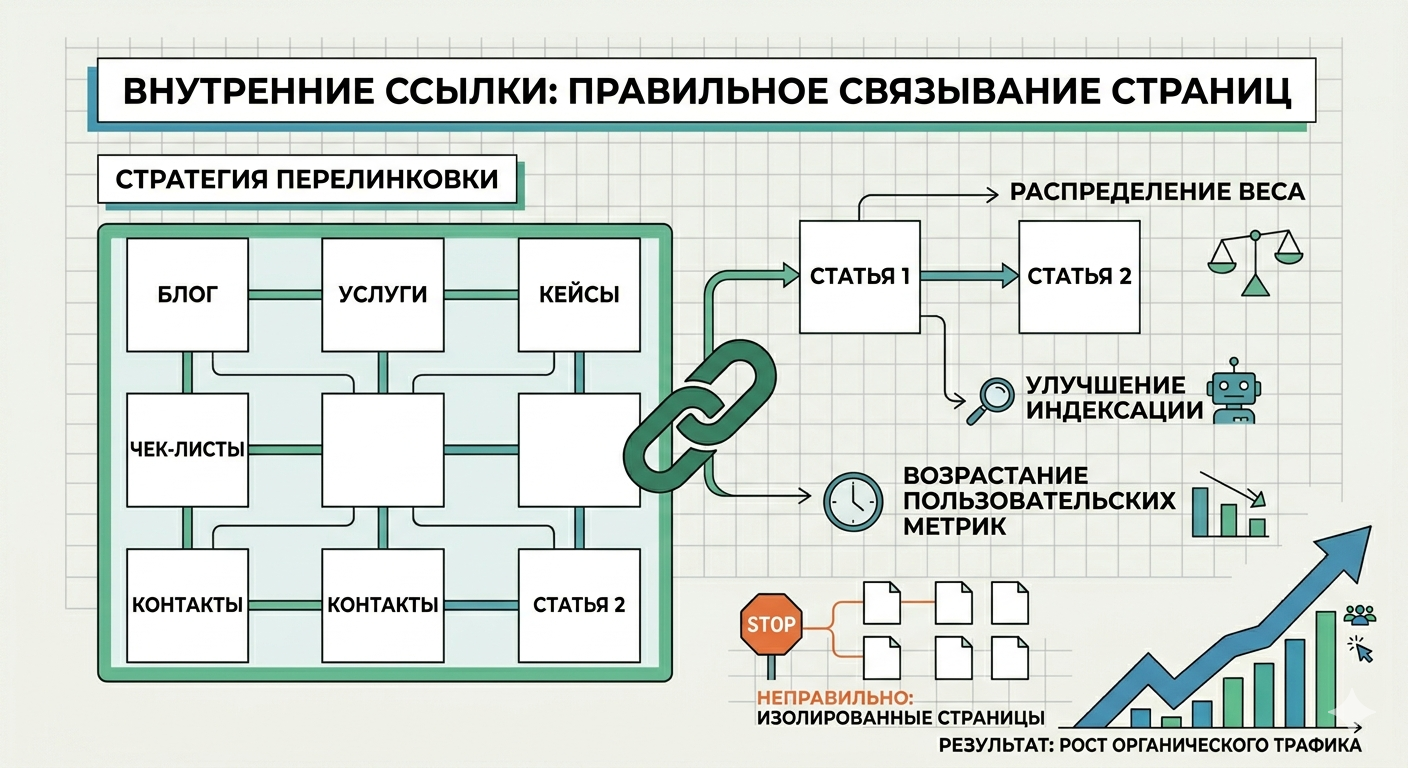
Internal links: how to link pages correctly
Internal linking is an important element of website SEO optimization. It helps search engines better understand the site structure and makes navigation easier for users. Correct use of internal links allows you to improve the indexing of pages and increase their positions in search results.
What are internal links
Internal links are links that lead from one page of a site to another page on the same site. They create connections between different sections and help users find the information they need faster.
For example, in an article about SEO texts, you can add a link to material about selecting keywords or meta tags.
Why internal linking is needed
A proper internal linking system provides several advantages:
-
improves the indexing of pages by search engines
-
helps distribute the weight of pages within the site
-
increases the time users spend on the site
-
simplifies navigation between materials
The more logical the link structure is, the easier it is for the user and search engines to navigate the site.
How to make internal links correctly
When creating cross-linking, you should follow several rules.
1. Use relevant links
The link should lead to a page that complements the topic of the article.
2. Use a clear anchor
Anchor is the text of the link. It is better to use words that describe the content of the page.
Example:
bad - click here
good - how to assemble a semantic core
3. Don't overload your text with links
Too many links can make an article difficult to read.
4. Link to important pages
Most often, links are placed on the main pages of the site: categories, important articles or service pages.
Common mistakes
When creating internal linking, the following mistakes are often made:
-
lack of links between pages
-
links without clear text
-
too many links
-
links to irrelevant pages
Internal linking is an important SEO tool that helps create a logical website structure. Well-linked pages improve navigation for users and help search engines index content better.

How to create your own online store?
Running an online store requires well-thought-out strategies and practices. Here are some key steps to creating and effectively running your online store:
1. Selecting a Niche and Products:
- Define the niche you want to cover. Research competitors and the market.
- Choose products that will be of interest to your target audience.
2. Creating a Quality Website:
- Develop a professional and easy-to-use website.
- Don't know how? Order from us!
- Ensure easy navigation and fast page loading.
- Add product information, descriptions, images and prices.
3. Search Engine Optimization (SEO):
- Optimize your site for search engines (SEO) to increase its visibility in search results.
- Use keywords, unique titles and meta tags.
4. Integrate secure payment methods:
- Provide a variety of payment methods to make the purchasing process convenient for customers.
- Ensure payment security with SSL certificates and data encryption.
5. Inventory and Logistics Management:
- Manage inventory effectively to avoid stockouts or overstocks.
- Select reliable suppliers and optimize delivery logistics.
6. Create quality content:
- Include high-resolution photos and informative product descriptions.
- Develop engaging blog content that your customers can benefit from.
7. Pricing Strategy:
- Define your pricing strategy, taking into account competitors and production costs.
- Provide discounts and promotions to attract customers.
8. Customer Service Management:
- Provide quality customer service by answering questions and resolving problems.
- Take customer feedback seriously and use it to improve your store.
9. Marketing and Promotion:
- Use marketing channels such as social media, contextual advertising and email newsletters.
- Create attractive promotions and discounts to attract customers.
10. Measuring and Analyzing Results:
- Use analytics to track your store's performance.
- Analyze data to find out what's working and adjust your strategies.
11. Legal Compliance:
- Make sure your online store complies with data protection, tax, and other laws.
12. Expansion and Growth:
- Continuously strive to increase product offerings, improve processes, and expand our customer base.
Running an online store is a long-term process that requires effort and a strategic approach. Constantly updating and adapting to changing market demands will help you manage your online store successfully.