

Installation on Ubuntu (LinuxMint)
sudo apt install pentobiA selection of games for Linux operating systems of various genres and directions. Here are game projects for popular distributions, as well as useful materials for launching and setting up games.
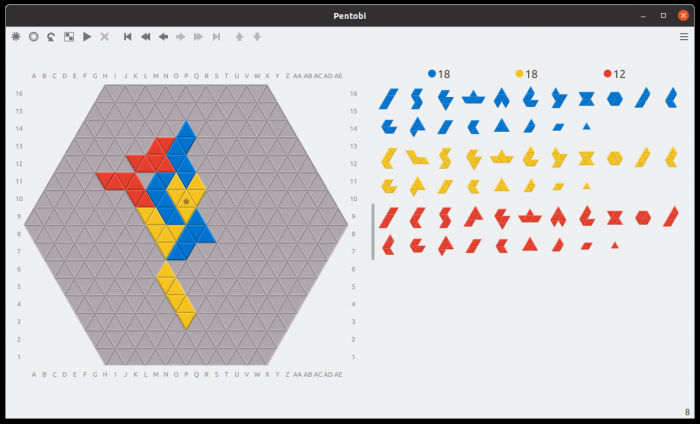
Pentobi is a board game where you place blocks on the playing field. Analogue of the game Blokus.
Pentobi completely repeats the rules of the classic game Blokus. This is a board game in which you need to place pieces on the playing field, following certain rules. Game for 2-4 people. The player's goal is to place all of his pieces on the playing field and score as many points as possible.
Supported game variants:
The game is played against the computer. Depending on the mode, you can select the number of opponents.
sudo apt install pentobisudo zypper install pentobi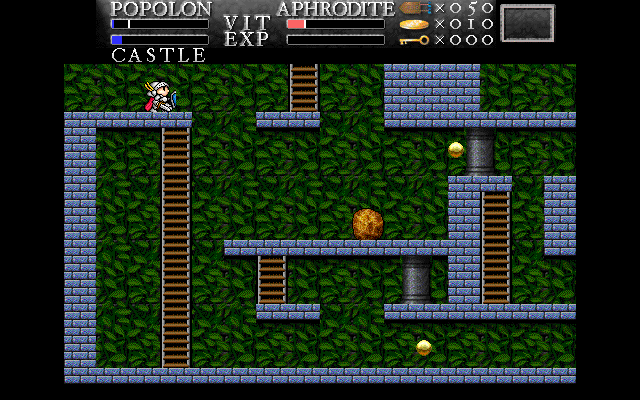
The Maze of Galious (MoG) is a platform arcade game in which you control a knight and must overcome level after level.
Maze of Galious was originally called Konami and was created for MSX (Machines with Software eXchangeability) computers.
Maze of Galious is a linear platformer. The player needs to move the character across levels, which consist strictly of horizontal surfaces. You can climb stairs, jump, fight, and go down to other locations.
The game features one huge map, called a castle, and 10 sub-maps, called worlds. The game starts in a castle, and as you progress you must find the keys to each of the 10 worlds.
At the end of each world there is a boss battle. To complete the game you need to destroy all bosses. To destroy all the bosses you will need to use two characters - Popolon and Aphrodite. They have their own special abilities. Popolon  can jump well, quickly break rocks, and go through revolving doors. Aphrodite
  can swim perfectly, fire three shots at once and place three bombs at once.
As the player progresses, he encounters hundreds of different enemies. They can be destroyed in different ways.
The distinctive feature of Maze of Galious is its freedom of movement. You can always go back to previous locations and see if you missed anything there.
Development of the game ceased in 2009, but will be of interest to fans of games of this genre. There were no problems with installation and operation on Ubuntu Linux.
To install the game on Ubuntu Linux, you can use the standard repositories. To install, run the command:
sudo apt install mazeofgaliousYou can start the game from the command line by running:
mogsudo apt install mazeofgalious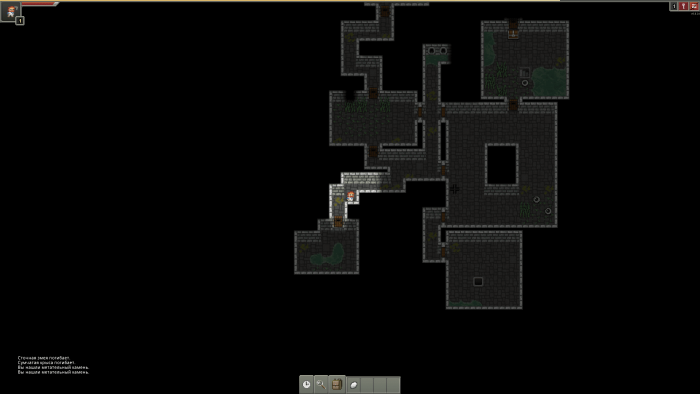
Shattered Pixel Dungeon is a Roguelike RPG with randomly generated levels.
flatpak install flathub com.shatteredpixel.shatteredpixeldungeonflatpak run com.shatteredpixel.shatteredpixeldungeonsudo snap install shattered-pixel-dungeon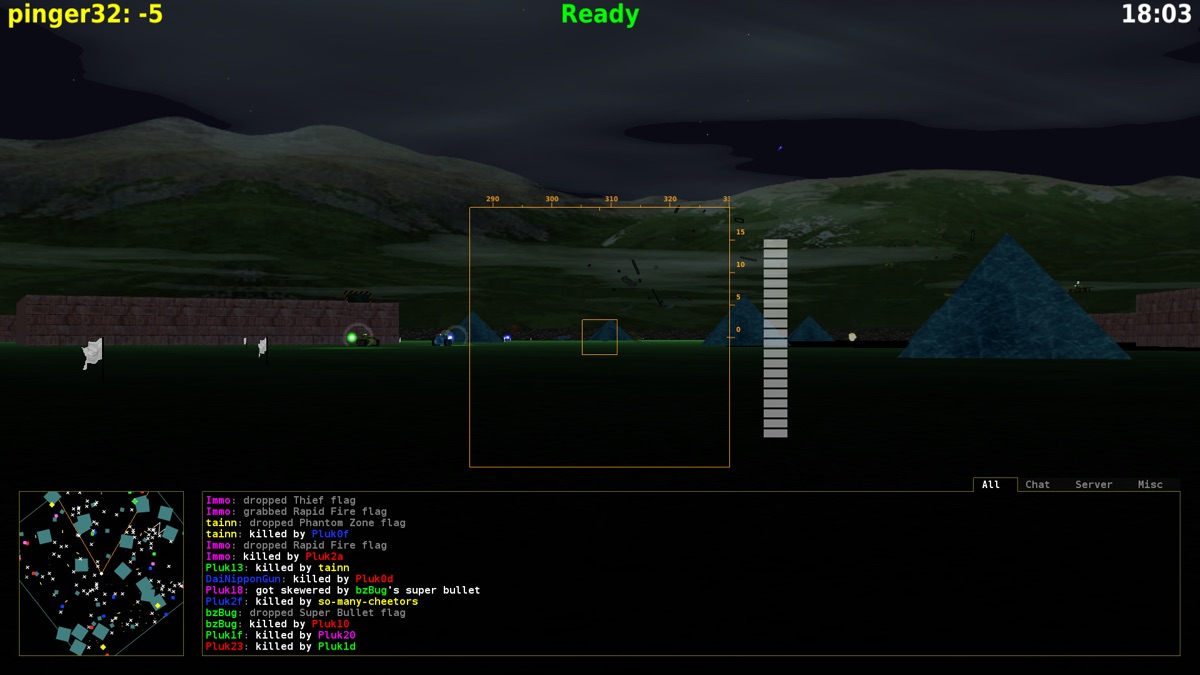
BZFlag — трехмерные аркадные танковые бои по сети с простой графикой. Шутер на танках.
BZFlag представляет собой мультиплеерный шутер от первого лица на танках. В BZFlag предельно простая графика без каких-либо сложных эффектов. Одиночная игра в BZFlag отсутствует, есть только мультиплеер.
Представлено четыре режима игры:
Подключение к серверам выполняется через меню Join Game->Find Server. При подключении к новой локации, все данные для нее будут загружены автоматически.
Основные клавиши управления в игре:
Просмотреть и изменить управление можно через меню Options->Input Settings->Change Key Mapping.
Изначально игра BZFlag была написана на языке Си и основана на игре Battlezone. Battlezone — аркадная игра, выпущенная компанией Atari в 1980 г.
11 декабря 2004 г. игра BZFlag стала третьей на SourceForge.net, достигшей 1 миллиона загрузок.
В апреле 2004 г. BZFlag была выбрана Проектом Месяца на SourceForge.net.
sudo apt install bzflag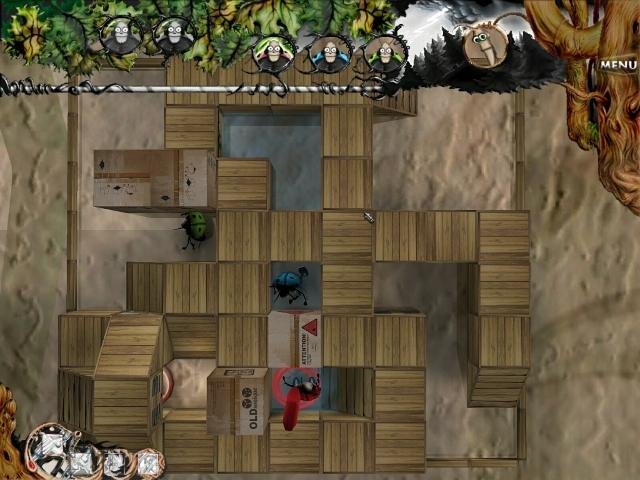
Berusky II is a 3D puzzle game where you have to move and interact with blocks to get to the exit.
The game is a continuation of the two-dimensional game Berusky I, which, in turn, was created based on the logic game Sokoban.
The rules of the second version are similar to the first part, but are supplemented with new logical elements. Also added to the game is a simple story accompanied by a series of comics.
At each level, you can have from one to five beetles (ladybugs) at your disposal, which you can switch between and control. Beetles differ in the color of their wings.
The goal of the game is to bring all the bugs to the exit.
Each bug can interact with objects in the level - move blocks, press buttons, ride the elevator, and so on.
The game is not as simple as it might seem at first glance. With each new level the difficulty increases.
There are different types of blocks/objects from which levels are built:
The game has nice and simple 3D graphics. The map can be rotated and zoomed in.
The developers took a creative approach to creating the game. Each level is not just a set of blocks, but also a certain environment. For example, blocks can stand on a table with scissors on it, a lamp and other things. The player does not interact with these surrounding objects in any way, but they add atmosphere to the game.
I would especially like to note the additional graphic surroundings. These include background images, comics, and various drawings.
The game is available in the repositories of popular Linux distributions.
To install Berusky 2 on Ubuntu Linux, run the command:
sudo apt install berusky2sudo apt install berusky2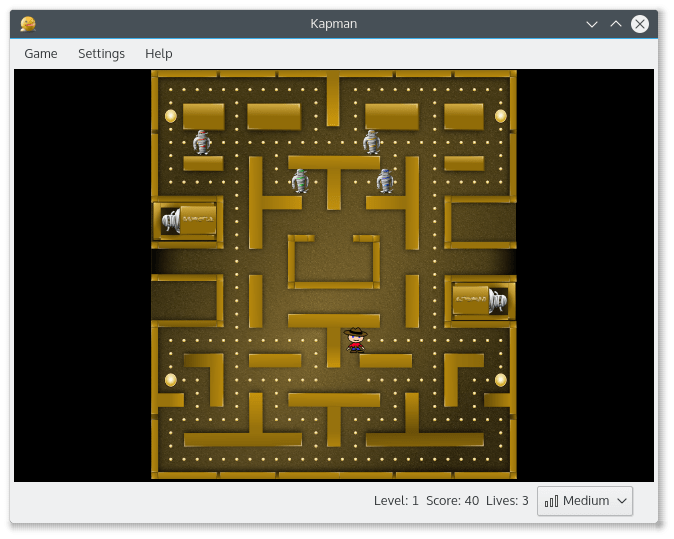
Kapman is a clone of the Pac-Man game. Classic rules. You need to go through the maze and eat all the dots, avoiding enemies.
Installation:
flatpak install flathub org.kde.kapmanLaunch:
flatpak run org.kde.kapmansudo snap install kapmansudo apt install kapmansudo pacman -S kapmansudo dnf install kapman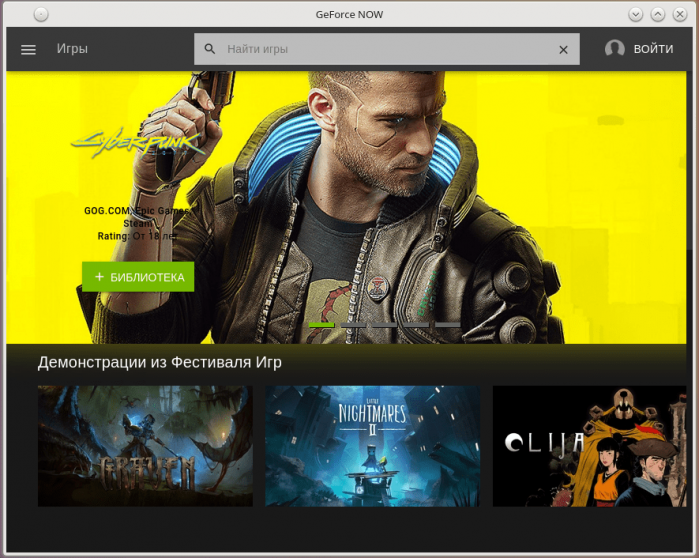
GeForce Now (Electron) is a GeForce Now client for Linux. Used for cloud gaming. Games run on a powerful computer in the cloud.
sudo snap install geforcenowgit clone https://aur.archlinux.org/geforcenow-electron.git
cd geforcenow-electron
makepkg -sri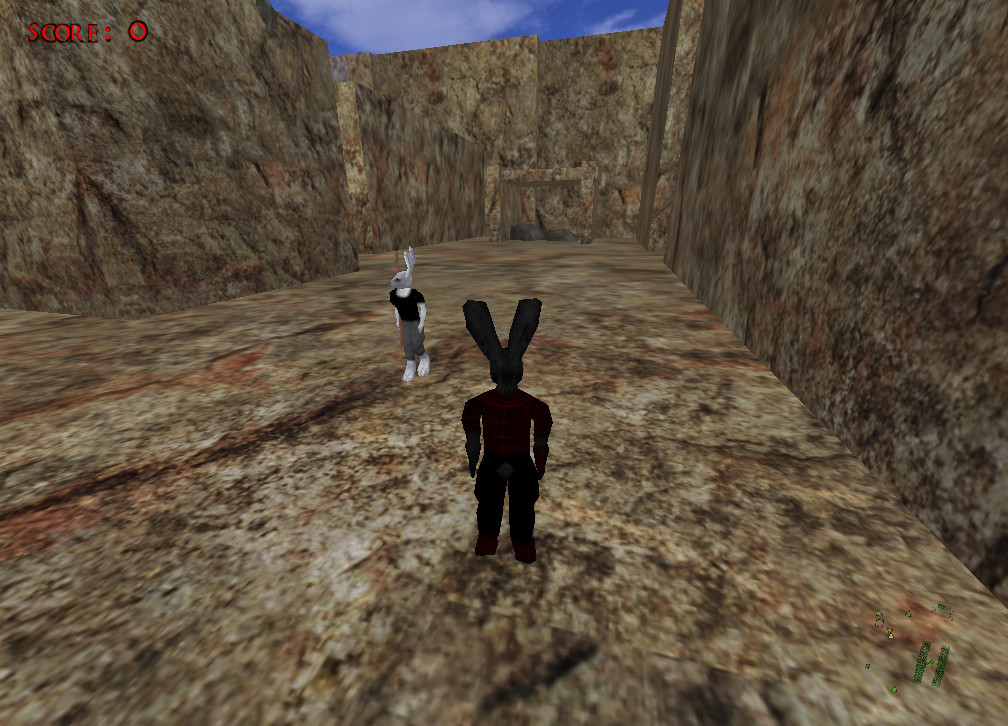
Lugaru HD is a 3D shooter in the name of the anthropomorphic rabbit Turner, who has close combat skills.
In the game you control a rabbit named Turner, who walks on two legs and is very good at fighting. You must fight other rabbits and wolves.
All battles are based on contact interaction - close combat. Based on the techniques Turner uses, it can be assumed that he is proficient in some kind of martial arts. Sometimes you will need to hit enemies covertly so as not to attract attention.
Turner can use sticks, a knife and a sword as available tools.
The game has many fans. Players like the game's combat mechanics, unusual atmosphere, extremely simple controls, and the presence of a storyline.
In the story, you go on a journey to find and punish those responsible for the murder of all the inhabitants of your village.
During the course of his journey, Turner uncovers a far-reaching conspiracy involving the corrupt leaders of the rabbit republic and starving wolves from a neighboring colony.
Turner takes it upon himself to fight against the conspiracy and save his fellow rabbits from slavery.
Basic controls in the game are extremely simple. The keyboard shortcuts attack, jump and crouch allow you to perform all the fighting techniques that Turner has.
The game has very simple 3D graphics. Characters and objects look angular. The textures do not shine with detail. The graphics are stuck far in the past, even despite the notorious HD in the name. But they don’t love it for its graphics.
The game is not demanding on computer resources.
sudo apt install lugaru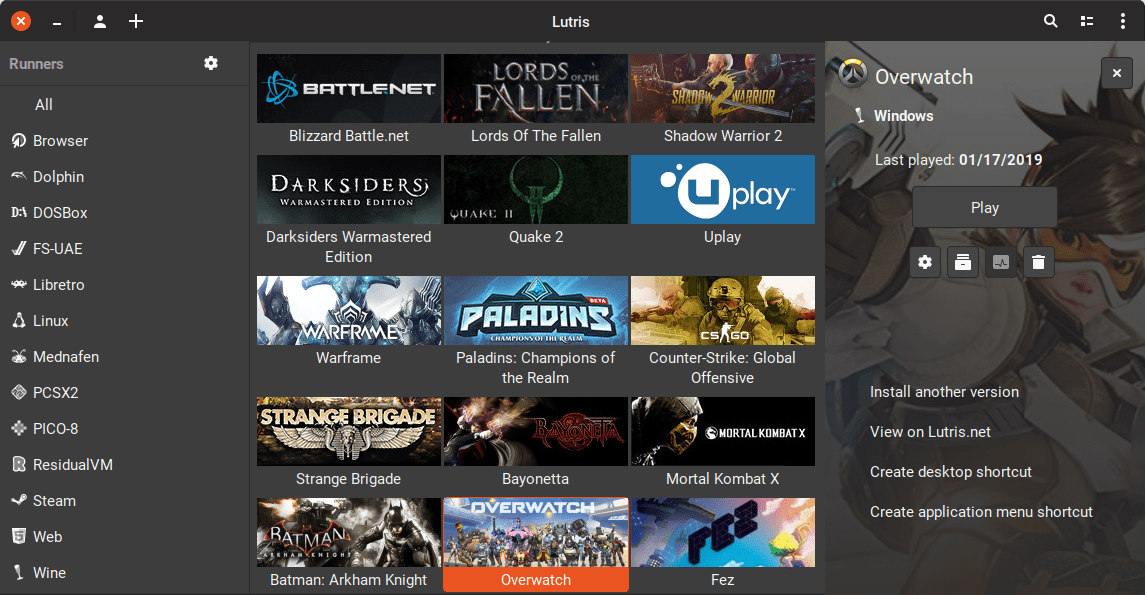
Lutris is a game client that allows you to install and run native and Windows games on Linux. Not a commercial service. Provides a convenient way to run games inside Linux.
The program is a game client. Allows you to combine games from various sources in one application. For example, you can import games that were purchased and downloaded to Steam. Lutris does not copy games, but only ensures they run.
The program creates optimal settings and corresponding scripts for each game, which allow you to run both Windows games and native Linux games. Third-party components are used to launch, for example, Wine or DosBox.
On some Linux distributions, the program is available in the standard repositories. To install, you must install the package lutris.
For installation on Ubuntu (Linux Mint, Elementary OS, Pop!_OS) you can use the PPA repository.
sudo add-apt-repository ppa:lutris-team/lutris
sudo apt-get update
sudo apt-get install lutrissudo pacman -S lutrisgit clone https://aur.archlinux.org/lutris-git.git
cd lutris-git
makepkg -srisudo dnf install lutrissudo zypper install lutrissudo emerge -a games-util/lutrisLeave your contact details, and we will contact you to complete your order.