Cart Sign In
PixelPixel Linux
admin
17-04-2023, 19:10 27 0

PixelPixel Linux

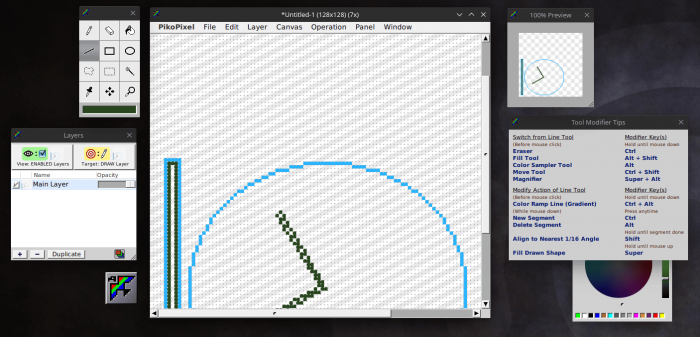
PikoPixel - a program for drawing pixel images.

PikoPixel is not overloaded with unnecessary functions and has basic functionality for drawing pixel images. Contains a minimal set of drawing tools.

Key Features

  • Drawing tools: pencil, line, rectangle, circle, fill, eraser, eyedropper.
  • Selection tools: rectangular selection, free-form selection, closed-area selection.
  • Layer support.
  • Supports layer transparency.
  • Editing grid.
  • Customizable canvas background.
  • Supports hotkeys.
  • Unlimited undo.
  • Export enlarged images.
  • Color selection dialog with several palettes.
  • Interface with floating panels.

    Installation in ArchLinux from AUR

    git clone https://aur.archlinux.org/pikopixel.git
    cd picopixel
    makepkg -sri
    Installation in Gentoo

    sudo emerge -a gnustep-apps/pikopixel

See Also

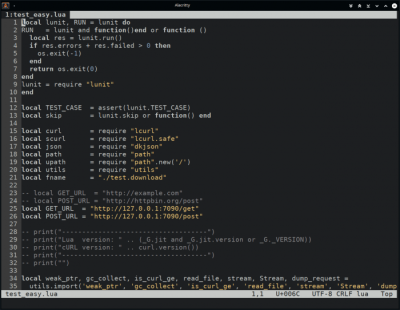
dte is a small, easy-to-use console text editor. Supports tabs, syntax highlighting, hotkeys, etc. Installation Installation on Ubuntu (LinuxMint) Installation in ArchLinux from AUR Installation in openSuse Installation in Gentoo
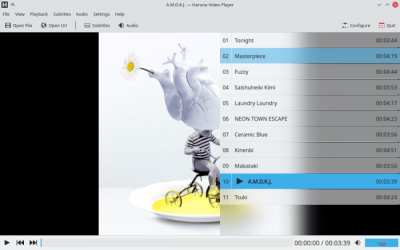
Haruna is a video player from the KDE project based on the Qt/QML and libmpv libraries. MPV fork with new features. Installation Installation via Flatpak Installation: Launch: Installation via Snap Installation on Ubuntu (LinuxMint) Installation in Gentoo
OBS Studio (Open Broadcaster Software) — это бесплатная программа на русском языке для записи видео и стримов на Twitch, YouTube, GoodGame, SC2TV, Hitbox.TV и любые другие RTMP-серверы трансляций. Установка Ubuntu 14.04 LTS, FFmpeg официально не включен, так что вам понадобится отдельный PPA: Ubuntu 15.04 и следующих версий, FFmpeg официально включен: После установки FFmpeg, установите OBS Studio с помощью:
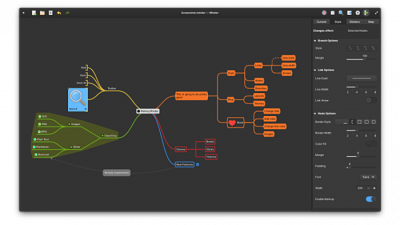
Minder - A simple mind mapping program. The program allows you to create graphic maps of thoughts in the form of a tree with many nodes. Features Lots of tree layouts to choose from. Markdown formatting support. You can add text notes, tasks, or images to each node. Adding ready-made stickers. Creating connections between tree nodes with text labels. Changing styles of nodes and connections. Change the color of entire tree branches. Quick search with filtering results. Switch to “Focus” mode. Auto-save in the background. Unlimited undo/redo. Themes support. Print output. And other features. Format import support: OPML FreeMind Freeplane PlainText (with formatting) Outliner Portable Minder XMind Export to formats: CSV FreeMind Freeplane JPEG BMP SVG Markdown Mermaid OPML Org-Mode Outliner PDF PNG Portable Minder PlainText XMind yEd Installation Installation via Flatpak Installation: Launch: Installation on Ubuntu (LinuxMint) Installation in ArchLinux (Manjaro) Installation on Fedora
Kitty is a functional terminal emulator for Linux. Uses hardware rendering. Supports terminal window splitting. Supports image output. Features Based on OpenGL. Uses hardware rendering. Creating Tabs Tiling support - dividing a terminal window into several windows. Supports hotkeys. Change appearance - customize font, colors, mouse cursor. Program settings are specified in one file ~/.config/kitty/kitty.conf Output images. Hyperlink support. Custom Actions. Plugins support (kittens). Installation Installation on Ubuntu (LinuxMint) Installation in ArchLinux (Manjaro) Installation on Fedora Installation in openSuse Installation in Gentoo
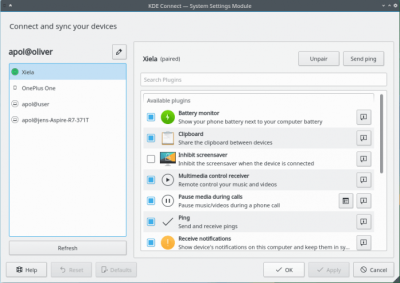
KDE Connect is a program that allows you to organize interaction between a PC and a smartphone. It supports displaying notifications, sharing files, managing music, sending messages, and so on. To use KDE Connect, you need to install the desktop version of the program (Linux, Windows or Mac OS), as well as the program on your mobile device (versions available for Android and iOS). To connect, devices must be connected to the same local network. KDE Connect runs in the KDE Plasma environment. Features: Connect and interact with multiple devices. Receive notifications from your phone and display them on your desktop. Call notifications. Control music played on your computer from your phone. Using your phone as a remote control for your computer. Remote command execution. Run various preset commands on your PC by pressing buttons on your phone. For example, you can set commands to turn off and restart the computer, lock or go into sleep mode, change the theme, change the brightness,
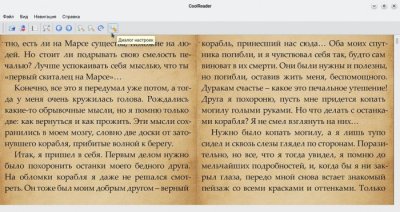
CoolReader is a cross-platform eBook reader. Installation in ArchLinux (Manjaro) Installation in Fedora Installation in openSuse Installation in Gentoo
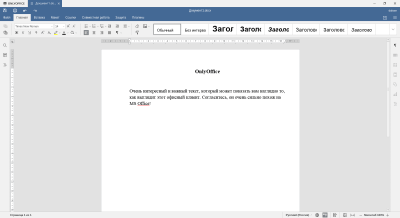
OnlyOffice Desktop is an office suite that has good support for Microsoft Office formats. Includes word processor, spreadsheet, presentations. OnlyOffice Composition: Text processor. Table processor. Program for creating presentations. Supported formats: DOCX ODT XLSX ODS CSV PPTX ODP And others. Name Previously called TeamLab. Installation OnlyOffice can be installed on Linux using the following methods: Use a ready-made DEB or RPM package that can be downloaded from the developer’s website. Use the AppImage version available on the developer's website. This version does not require installation. Installation via Snap. Installation via Flatpak. Installation via Flatpak Installation: Launch: Installation via Snap
Newsboat - console program for reading RSS/Atom feeds (news feeds). Installation Installation via Snap Installation on Ubuntu (LinuxMint) Installation in ArchLinux (Manjaro) Installation on Fedora Installation in openSuse Installation in Gentoo
Tilda is a drop-down terminal. Customizable appearance and behavior. Interface: Gtk. Installing Installing in Ubuntu (LinuxMint) Installation in ArchLinux (Manjaro) Installation in Fedora Installing in openSuse Installation in Gentoo

Reviews (0)

reload, if the code cannot be seen


Quick Purchase

Leave your contact details, and we will contact you to complete your order.