 admin
admin
Canonical URL: what it is and how to use it
What is a Canonical URL
Canonical URL is a special tag that tells search engines which version of a page is the main one if a website has multiple pages with identical or very similar content.
It is used to combat duplicate content, which can negatively impact SEO.
The canonical tag is specified in the page's HTML code and looks like this:
This tag tells search engines like Google and Yandex that this specific URL should be considered the primary one.
Why a Canonical URL is needed
1. Solves the problem of page duplicates
Identical pages with different URLs may appear on the website. For example:
The search engine may treat them as different pages.
Canonical indicates that there is only one main page.
2. Passes SEO weight to the main page
If multiple pages have the same content, links can be distributed among them.
Canonical helps to pass all SEO weight to a single page, which improves its rankings.
3. Helps with proper indexing
Search engines understand:
- which page to index
- which pages to consider duplicates
- which page to show in search results
When to use Canonical
Canonical is useful in the following cases:
1. Pages with parameters
For example:
site.com/catalog?sort=price
site.com/catalog?page=2
Canonical points to the main page.
2. Online stores
In stores using WooCommerce, a single product can be located in multiple categories:
site.com/category2/product
Canonical helps choose the main product page.
3. Page duplicates
For example:
Canonical indicates which version is the main one.
How to add a Canonical URL
1. Via WordPress SEO plugins
If the site runs on WordPress, canonical is added automatically via SEO plugins:
- Yoast SEO
- Rank Math
- All in One SEO
These plugins automatically add a canonical tag for each page.
2. Add manually
You can add the tag to the <head> section of the page:
Canonical vs Redirect
Many people confuse canonical and redirect.
The difference:
Canonical
- tells search engines the main page
- the user can open different URLs
301 Redirect
- completely redirects the user
- the old URL is no longer used
Common Canonical Errors
1. Specifying the wrong URL
Canonical must point to a real, existing page.
2. Canonical to another page without reason
If the pages are different, canonical should not be used.
3. Mismatch between canonical and sitemap
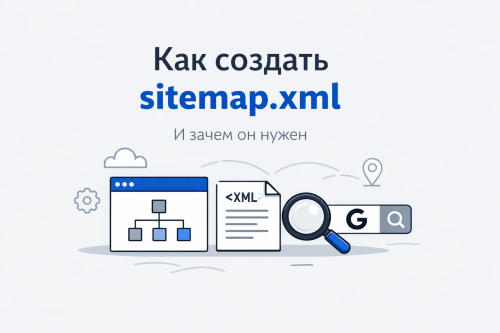
The sitemap.xml file should contain only canonical pages.
How to check Canonical
You can check it in several ways:
- open the page source code
- find the canonical tag
or use tools:
Google Search Console
Screaming Frog SEO Spider
A Canonical URL is an important technical SEO tool that helps search engines correctly determine the main page of a website.
It allows you to:
- avoid page duplicates
- pass SEO weight to the main page
- improve website indexing
Canonical is especially important for:
- online stores
- large websites
- websites with URL parameters